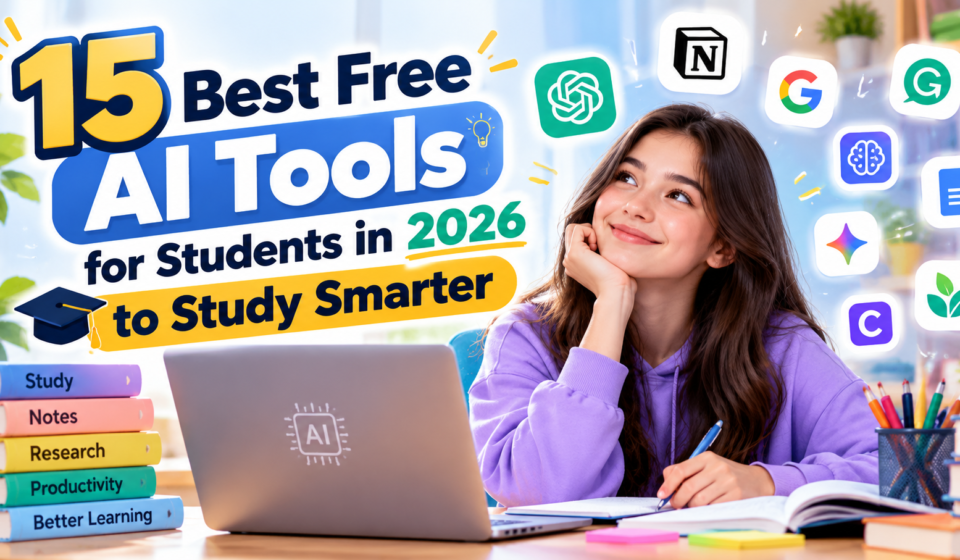

Artificial intelligence is transforming education by making learning more interactive, accessible, and personalized. From understanding difficult subjects to preparing for exams, AI-powered tools can help students manage their academic responsibilities.
If you’re looking for the best free AI tools for students in 2026, this guide explores 15 useful platforms for studying, writing, researching, designing presentations, and improving productivity.
Some platforms provide free plans with usage limits, while others offer free educational access to eligible users.
Why Should Students Use AI Tools?
AI tools can support students in several practical ways. They can explain difficult concepts, summarize lengthy reading materials, generate practice questions, and help organize study schedules.
Students can also use AI to improve their writing, create presentations, and develop technical skills.
However, AI-generated answers are not always correct. Students should verify important information and follow their school’s academic integrity policies.
1. ChatGPT – Best for Learning Difficult Concepts
ChatGPT is an AI assistant that helps students explore topics, practice writing, and understand challenging subjects.
Its Study Mode encourages students to work through problems rather than simply receiving final answers.
Key Benefits:
- Step-by-step explanations
- Practice questions
- Writing feedback
- Study planning
- Interactive learning
Website: https://chatgpt.com/
2. Google Gemini – Best for Interactive Learning
Google Gemini helps students brainstorm ideas, understand concepts, and explore educational topics.
It can support writing, research preparation, and interactive study sessions.
Key Benefits:
- Explanations of complex subjects
- Study assistance
- Content summarization
- Brainstorming
- Interactive learning activities
Website: https://gemini.google.com/
3. NotebookLM – Best for Studying Documents
NotebookLM helps students work with their own learning materials.
Users can upload supported sources and generate summaries, study guides, and questions based on those materials.
Key Benefits:
- Source-grounded answers
- Study guides
- Practice quizzes
- Flashcards
- Document summaries
Website: https://notebooklm.google.com/
4. Canva – Best for Student Presentations
Canva provides design tools for presentations, infographics, posters, and visual assignments.
Eligible teachers and students can access additional educational features through Canva Education.
Best Uses: School presentations, educational posters, and visual projects.
Website: https://www.canva.com/
5. Grammarly – Best for Academic Writing
Grammarly helps students identify grammar mistakes and improve sentence clarity.
Students can use it to review essays, reports, and emails before submission.
Best Uses: Grammar checking, editing, and writing improvement.
Website: https://www.grammarly.com/
6. Microsoft Copilot – Best for Everyday Study Support
Microsoft Copilot provides AI assistance for research, brainstorming, writing, and understanding information.
Its availability and advanced capabilities depend on the account and subscription.
Best Uses: Learning support, document drafting, and productivity.
Website: https://copilot.microsoft.com/
7. Perplexity – Best for Research
Perplexity helps students explore questions and find information with source references.
It is particularly useful when beginning research on unfamiliar subjects.
Students should open and verify cited sources before using them in academic work.
Website: https://www.perplexity.ai/
8. Claude – Best for Reading and Writing
Claude can help students understand long passages, improve drafts, and brainstorm research questions.
It is useful for working through detailed explanations and organizing information.
Website: https://claude.ai/
9. QuillBot – Best for Paraphrasing and Editing
QuillBot provides writing tools that help students improve phrasing and readability.
Students should use paraphrasing responsibly and cite original sources when required.
Website: https://quillbot.com/
10. DeepL – Best for Language Learning
DeepL provides translation and writing assistance.
Students learning foreign languages can use it to compare expressions, understand vocabulary, and improve written communication.
Website: https://www.deepl.com/
11. Khan Academy – Best for Structured Learning
Khan Academy provides educational lessons and exercises across multiple subjects.
It also develops AI-supported learning experiences, although access to particular AI features may be restricted.
Website: https://www.khanacademy.org/
12. GitHub Copilot – Best for Coding Students
GitHub Copilot assists users with programming tasks, code suggestions, and explanations.
Eligible students may qualify for educational benefits, depending on current program requirements.
Website: https://github.com/features/copilot
13. Gamma – Best for Creating Presentations
Gamma helps users create presentations and visual documents using AI-assisted workflows.
Students can use it to structure project presentations and communicate ideas visually.
Website: https://gamma.app/
14. Otter.ai – Best for Lecture Notes
Otter.ai provides transcription and meeting-note features.
Students may find it useful for reviewing recorded discussions or permitted lectures.
Always obtain permission before recording classes or other people.
Website: https://otter.ai/
15. Notion AI – Best for Study Organization
Notion combines notes, documents, databases, and task management in one workspace.
Its AI capabilities can assist with organizing information and summarizing content, although AI access may require a paid plan.
Website: https://www.notion.com/
How to Choose the Right AI Tool for Studying
Before choosing an AI tool, consider your academic needs.
For understanding difficult concepts, try ChatGPT or Gemini. For researching documents, explore NotebookLM. For presentations, Canva and Gamma may be useful.
If writing is your main challenge, Grammarly and QuillBot offer editing assistance.
Start with free features and only consider paid subscriptions when you need capabilities that are unavailable in the free version.
Tips for Using AI Responsibly
- Use AI to understand concepts rather than copy answers.
- Verify facts with reliable educational sources.
- Protect personal and academic information.
- Follow school policies regarding AI-generated content.
- Practice independent problem-solving.
- Review and edit AI-generated writing.
- Use AI as a learning assistant, not a replacement for studying.
Frequently Asked Questions
What is the best free AI tool for students?
ChatGPT, Gemini, and NotebookLM are useful options for different learning tasks. The best choice depends on the student’s needs.
Can AI help students prepare for exams?
Yes. AI can generate practice questions, explain concepts, and help create revision schedules.
Are AI tools safe for students?
They can be useful when students follow privacy guidelines, verify information, and use age-appropriate services.
Can students use AI to write essays?